
Managing Multiple Supplier Profiles
Premium supplier organizations can add and manage multiple profiles from a single organizational account. When this feature is enabled, premium supplier organizations gain access to the Profiles dashboard, unified account-level views for Quotes and Users, and a streamlined workspace for managing each profile’s daily activity.
Key Features
Profiles dashboard:
Premium Supplier accounts can create and manage more than one profile. Any newly created profiles are added to your organizations Profiles dashboard. You can toggle between active profile by either:
Clicking “Switch profile” on the home page
Selecting from the dropdown in the top navigation bar (you can either click into the profile directly, or navigate to the “dashboard” where you can see the full listing of all profiles that you have access to)
Account-level views:
The Quotes and Users tabs provide an organization wide view across profiles, including quick filtering and visibility into which profiles each user can access.
Quotes tab:
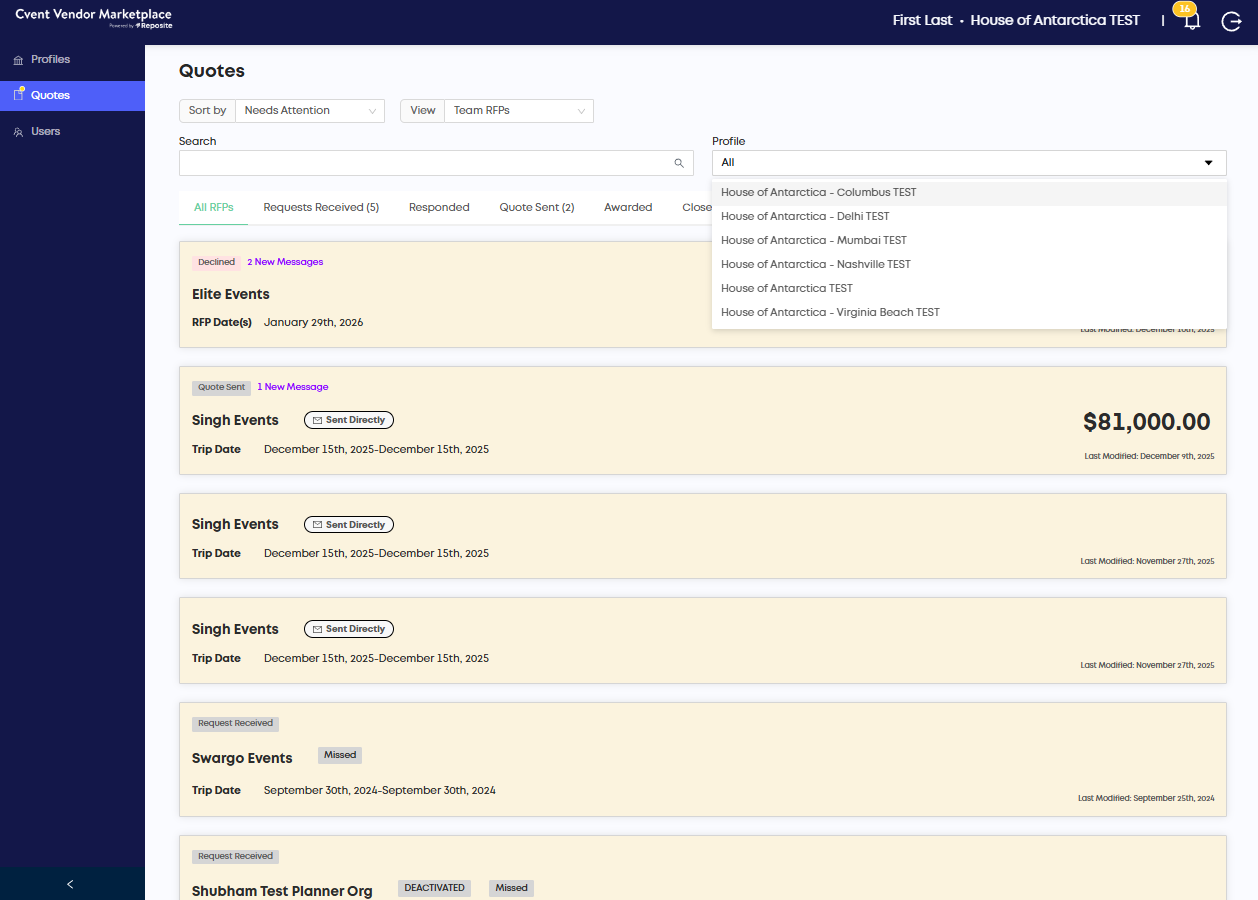
The Quotes tab provides a centralized, organized system for managing quote requests across all organizational listings, with improved navigation for profile-specific quotes.
You can search quotes across all profiles or filter by a specific profile to see only its associated quotes.
Visibility into quotes is limited to users who have been assigned to related profile, or to Admin users.
Users tab:
You can add (invite) a new user and assign them specifically to one or multiple profiles. Here you can also make changes to profile visibility for existing users.
Note: By default, admin users can see and edit all profiles. You can only change the profile visibility for non admin users.
Up Next
Need additional help?
We’ve got you covered – simply request a demo and a member of our team will reach out to answer any questions you may have.